Review an action before approving it
Check the exact request and the authority it would use before you approve it.
On this page
Open the request
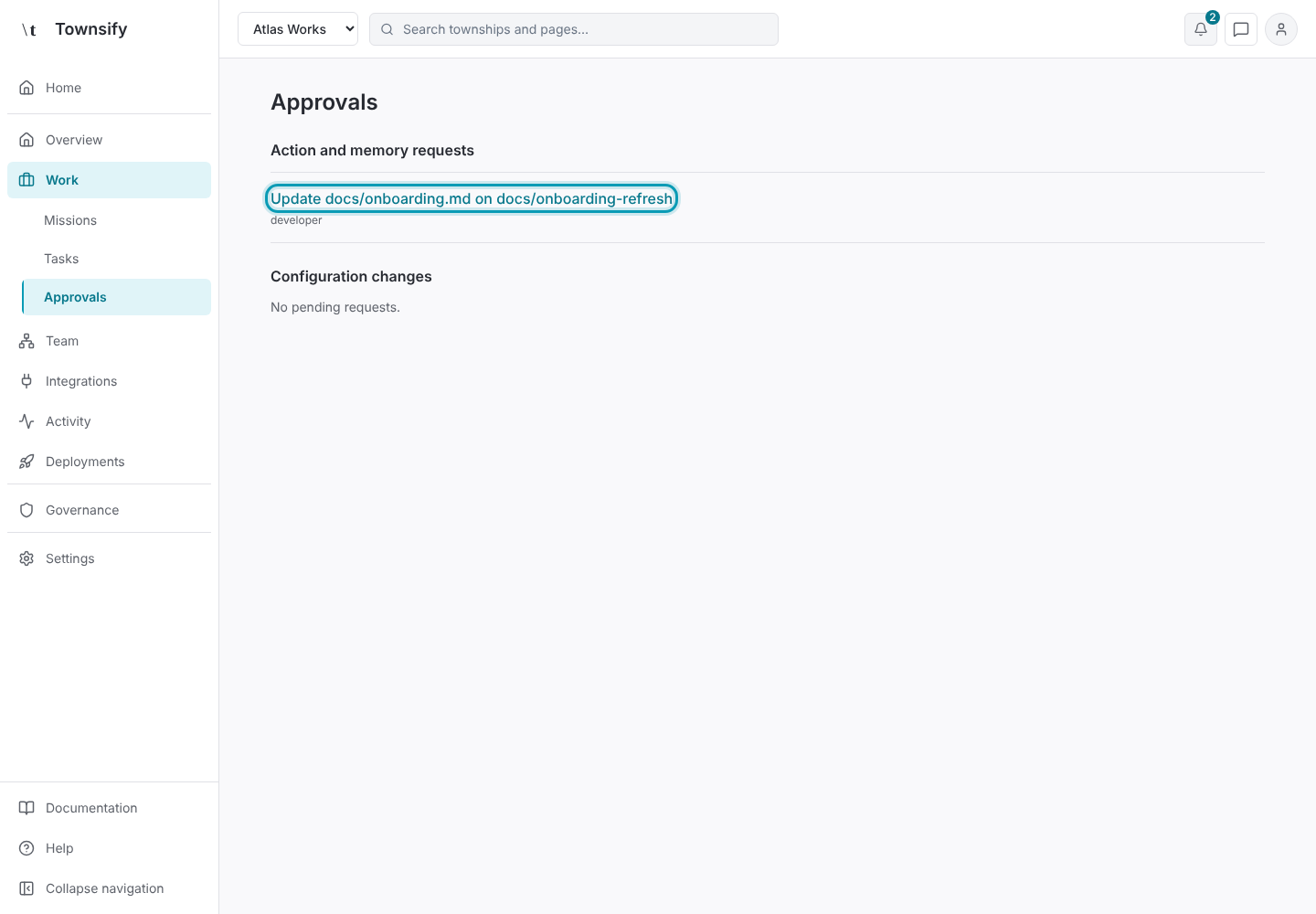
Open Work → Approvals and select the request.
Illustrative dataApprovals, with the pending request outlined. Read who is asking
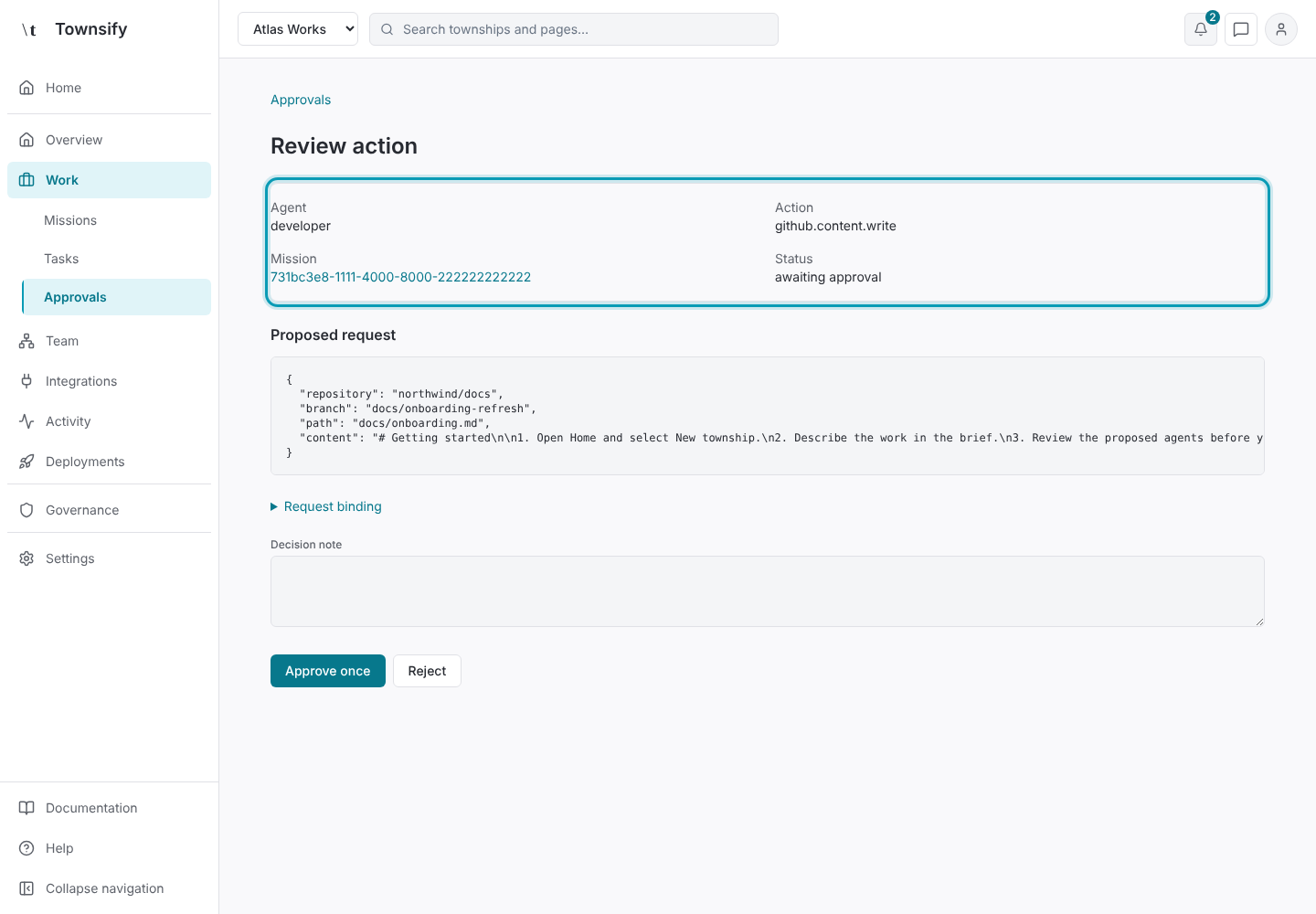
Read the purpose, requesting agent, exact request and the authority it would use. Follow the task link when you need its journal.
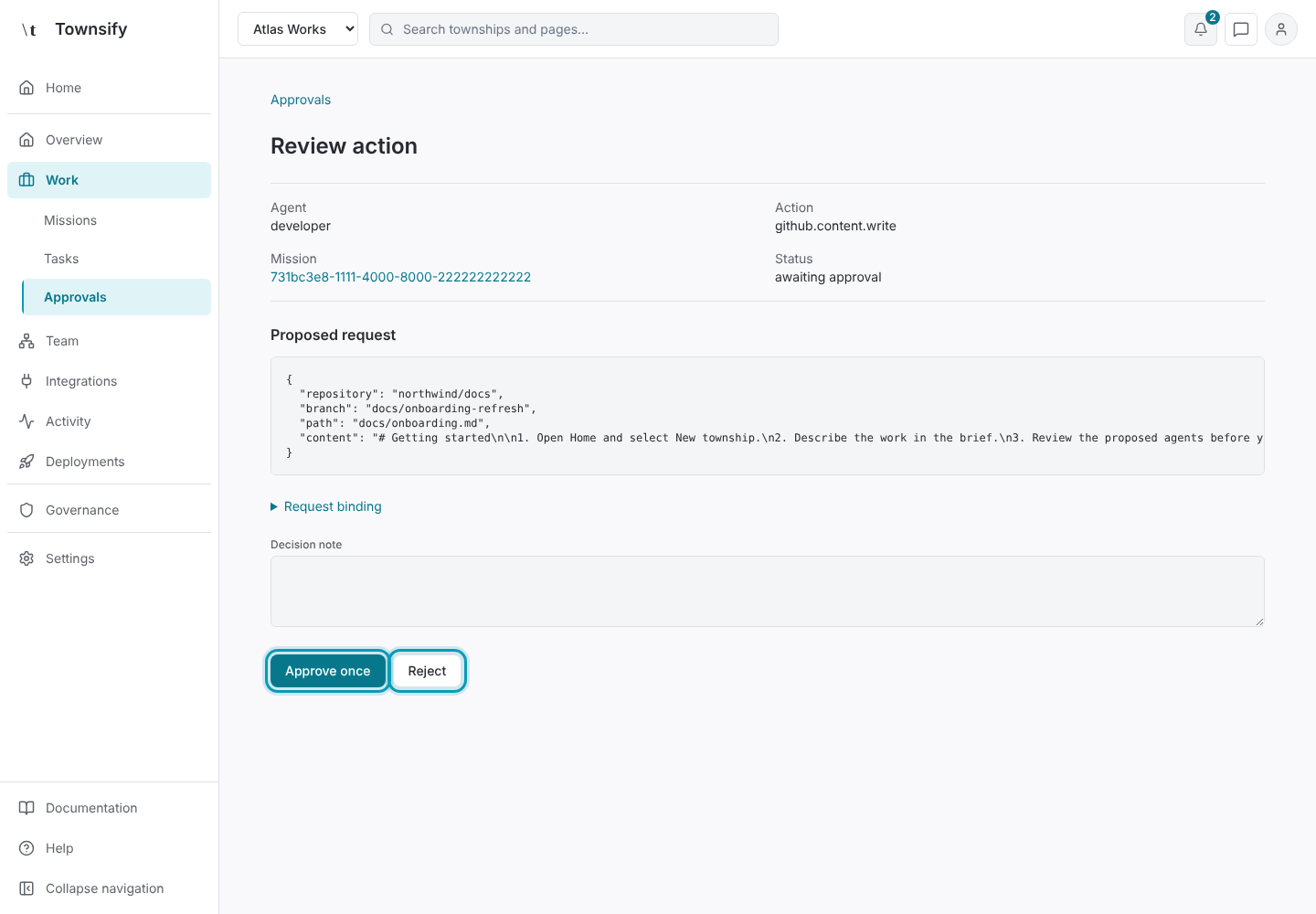
Illustrative dataThe requesting agent, action, mission and status. Check the exact request
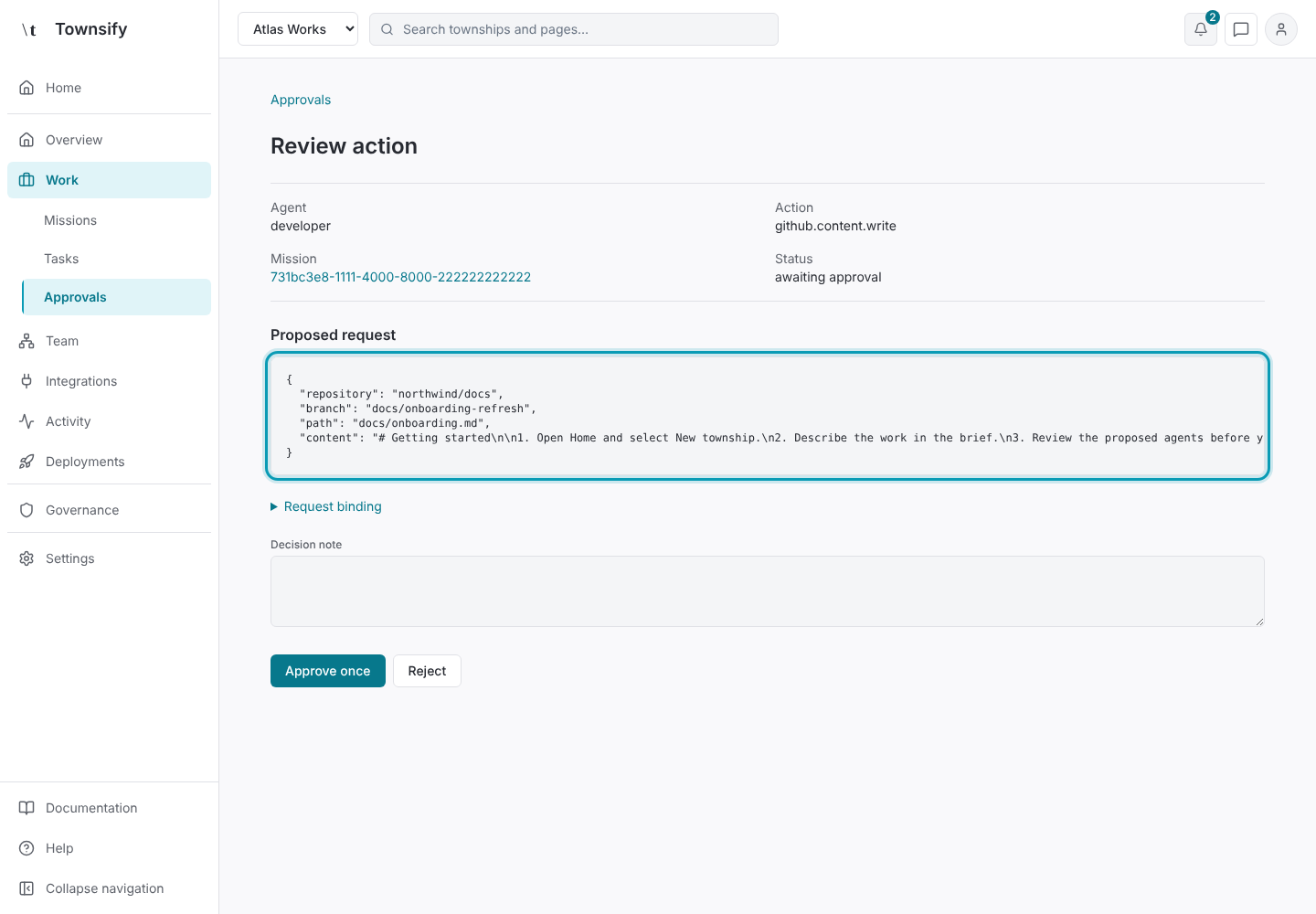
Check paths, resource selectors, write content and provider-specific constraints. A title alone is insufficient for an irreversible action.
Illustrative dataThe proposed request in full. Refuse partial previews
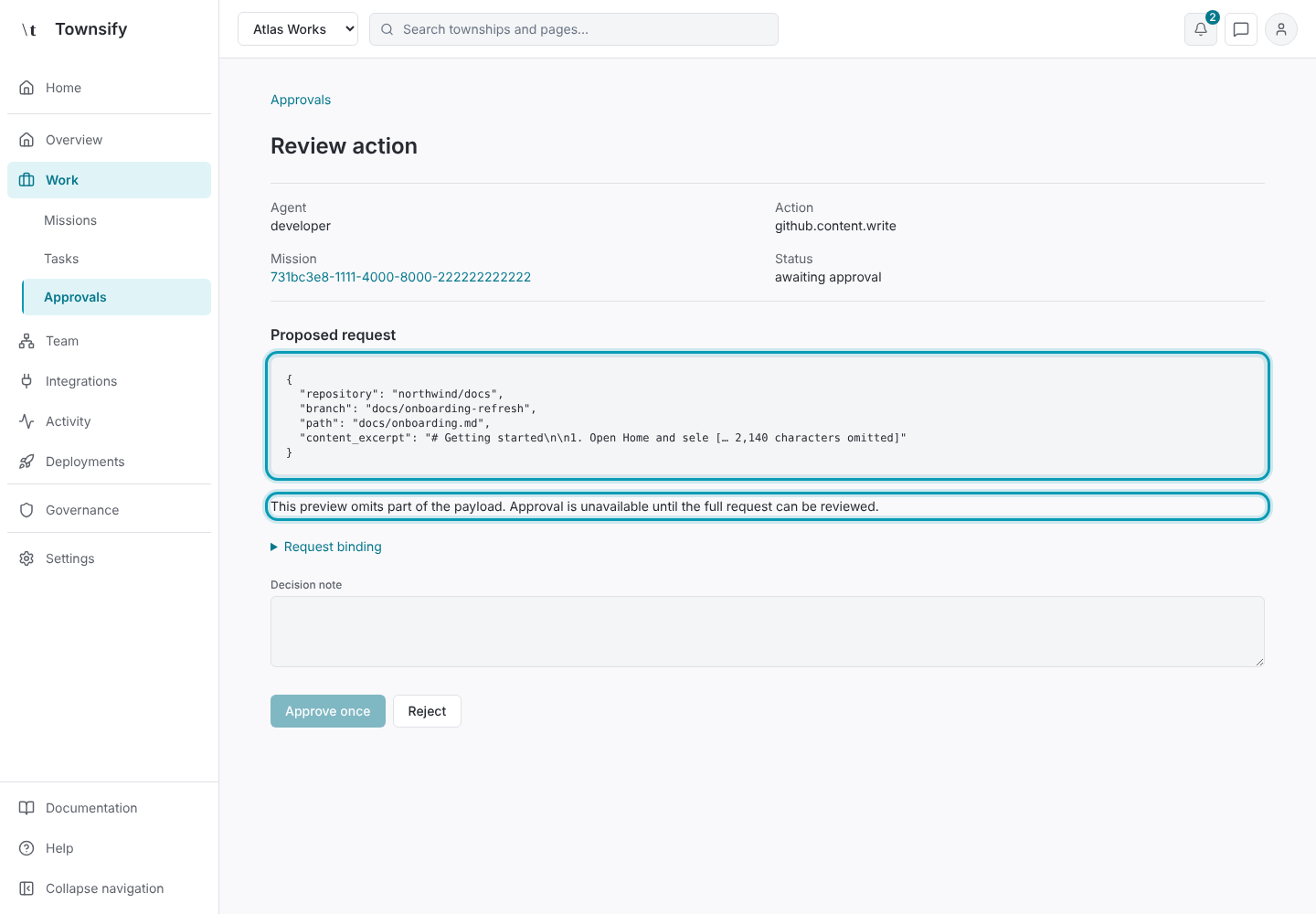
If the preview is incomplete or the request has changed, require a newly prepared request. Do not approve an excerpted historical payload.
Illustrative dataAn excerpted request, which can't be approved. Decide once
Approve once or Reject the current request. If a mission revision changed, refresh the review and inspect it again before authorising.
Illustrative dataApprove once and Reject outlined. Check the outcome
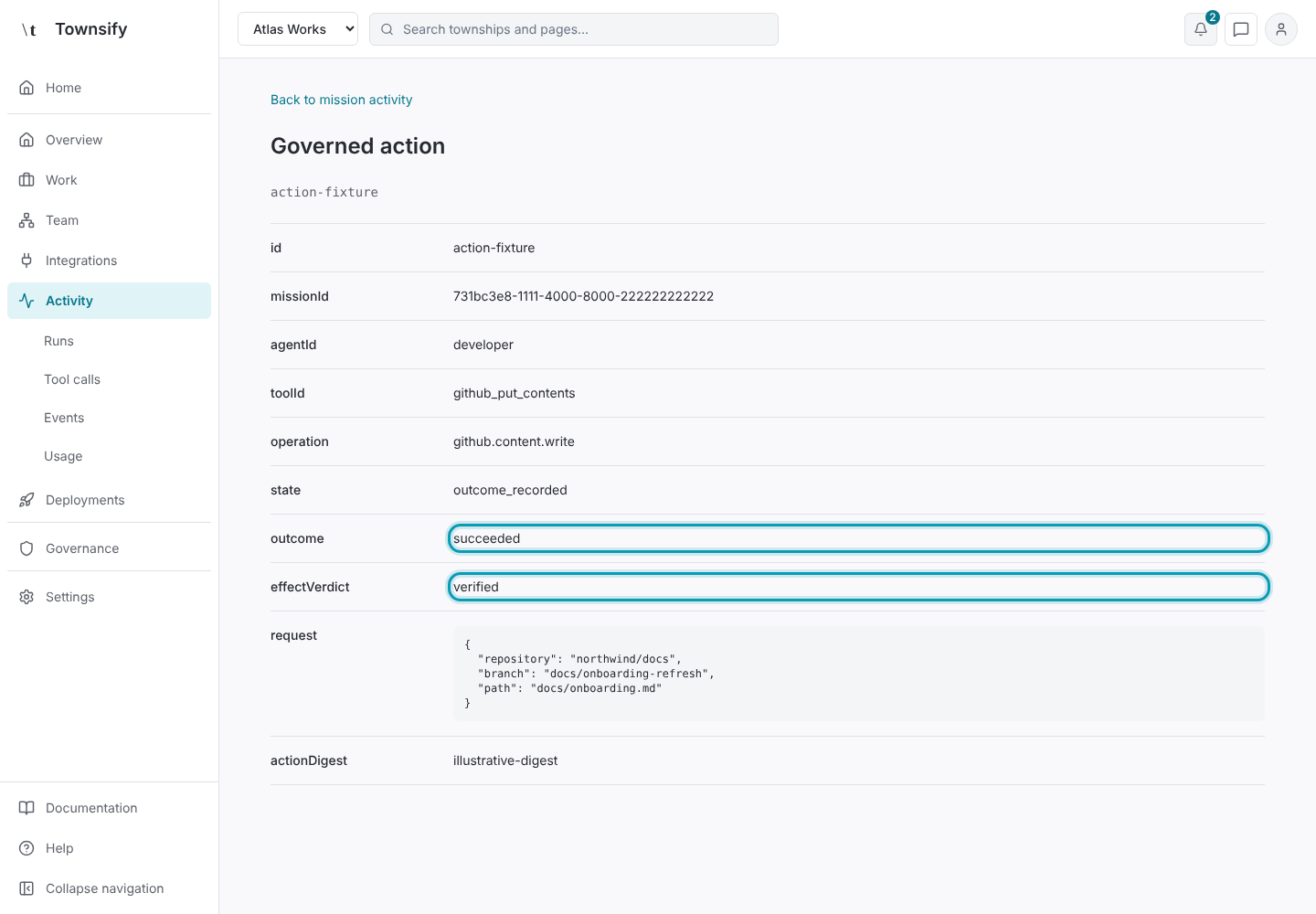
After execution, inspect its provider outcome and effect evidence. A decision to approve is not proof of a successful write.
Illustrative dataThe action's provider outcome and effect verdict.
Need more help?
Open Mysaria from the console header to ask about the page you're on, or send work to an agent in your township.